
Learning Cool Stuff With Cavett: Teeth Video
The amazing Cavett teaches us how to remove a tooth.
Length: 1:30 | Format: 1920 x 1080 MP4
Save Liquid error (snippets/product-badge line 32): Computation results in '-Infinity'%
The amazing Cavett teaches us how to remove a tooth.
Length: 1:30 | Format: 1920 x 1080 MP4
Save Liquid error (snippets/product-badge line 32): Computation results in '-Infinity'%
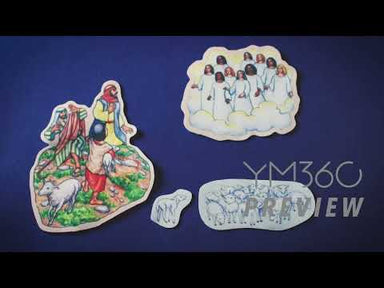
The voice of the Lord comes in a whisper. Power doesn’t look like we often think it should. There is power in obedience. We have been given everything we need to live a life of godliness.
Length: 2:05 | Format: 1920 x 1080 MP4
Save Liquid error (snippets/product-badge line 32): Computation results in '-Infinity'%
A simple yet beautiful explanation of the Gospel and its urgency.
Length: 1:55 | Format: 1920 x 1080 MP4
Save Liquid error (snippets/product-badge line 32): Computation results in '-Infinity'%
This video explores how our God, the all-powerful creator of all things,still desires a close relationship with us, His children.
Length: 2:30 | Format: 1920 x 1080 MP4
Save Liquid error (snippets/product-badge line 32): Computation results in '-Infinity'%
A mom and her daughter have an honest conversation about college and God’s plan for her life.
Length: 3:47 | Format: 1920 x 1080 MP4
Save Liquid error (snippets/product-badge line 32): Computation results in '-Infinity'%
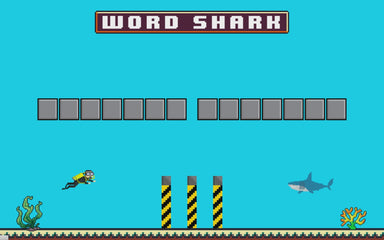
Word Shark is basically hangman, but underwater… with a shark. You enter your own words/phrases and the game will handle the rest. When a student guesses a letter, just hit that letter on the keyboard. If it’s correct, that letter will be revealed. If it’s wrong, one of three walls that separate the scuba diver and shark will lower. Once they get four wrong letters, the shark will attack… by launching a fireball from its mouth.
Save Liquid error (snippets/product-badge line 32): Computation results in '-Infinity'%
Do you need a quick crowd game that doesn’t require any set up? Wink n Blink is perfect for that! The big face on the screen will close his eyes and so will all of your students. Then, he’ll open his left, right, or both eyes! Students will open their left, right, or both eyes in hopes that they match the screen. If they don’t, they’re out! It’s a great, quick crowd elimination game!
Save Liquid error (snippets/product-badge line 32): Computation results in '-Infinity'%
“Who Wrote It?” has students asking the question… “Who wrote it?” Before your youth group starts, have your students write what they are thankful for, along with their names, on pieces of paper. Take those papers and input them into this game. When you’re ready to play, just show each quote and see if your students can guess who wrote it!
Save Liquid error (snippets/product-badge line 32): Computation results in '-Infinity'%
“Who Wrote It?” has students asking the question… “Who wrote it?” Before your youth group starts, have your students write what they want for Christmas, along with their names, on pieces of paper. Take those papers and input them into this game. When you’re ready to play, just show each quote and see if your students can guess who wrote it!
Save Liquid error (snippets/product-badge line 32): Computation results in '-Infinity'%
What’s the Passcode is a game that has student trying to figure out a random 4- digit passcode with a series of clues that show up in the form of notifications. “The 3rd number is even”, “The 2nd number is three less than the 4th”, “The 1st number plus the 4th equals 5”, etc. The first student (or group) to correctly guess that passcode wins! Don’t worry, if they just aren’t getting it, you can force one of the notifications to straight up tell you one of the numbers.
Save Liquid error (snippets/product-badge line 32): Computation results in '-Infinity'%
"What's in the Box!?" has a bunch of different uses. You can create up to 26 digital shoeboxes and assign a color, letter, and prize/anti-prize to each one. Then create a real life shoebox for each one on the screen. Have your students pick a letter and that shoebox will be revealed on the screen. When you hit the spacebar, the lid flies off and a little sign appears with what is in the box.
One way to play is to have a student blindfolded, sticking their hand into a shoebox filled with... whatever you want! This is fun because you can fill it with gross stuff and reveal to the crowd what it is without the blindfolded person knowing. You can even use it as prize picker!
Save Liquid error (snippets/product-badge line 32): Computation results in '-Infinity'%
"Unstand if..." is your classic, "Sit down if..." youth ministry game. The cool thing about this game is that you can quickly enter the conditions and start playing right away. Just have everyone stand up. If what's on the screen is true about them, have them unstand (aka sit down)! Since you can change the conditions in the dashboard, this is a great and simple game that can be played every week.
Save Liquid error (snippets/product-badge line 32): Computation results in '-Infinity'%
Grab two bicycle pumps and two students! Have them inflate the turkeys on the screen until one of them pops. The first to pop their turkey is the winner! This funny game is easy to understand with hardly any setup. Every time a student pumps their bicycle pump, just hold down an arrow key on your keyboard. This will cause their turkey to inflate. If the turkey gets too big, "POP!", it explodes into a bunch of turkey pieces. Check out the, "How to Play" section below for more details.
Save Liquid error (snippets/product-badge line 32): Computation results in '-Infinity'%
Turkey Drop is a Thanksgiving themed version of our popular game, Donut Drop. Think Plinko with turkeys. Just have your students call out, “DROP!” and hit the spacebar. Watch at the turkey bounces around and hope that it lands in a pan at the bottom. If your students are able to get three turkeys in a pan, they’re the winners. This is a super easy, no-step game that’s perfect for the Thanksgiving season.
Save Liquid error (snippets/product-badge line 32): Computation results in '-Infinity'%
Tug of War is a really quick and fun game that requires zero setup. Just have your students split into two teams (guys vs girls, upperclassmen vs underclassmen, etc). The louder they cheer, the stronger their pull on the rope will be! In reality, the person running the computer is controlling the rope with their cursor, but the students don’t need to know that!
Save Liquid error (snippets/product-badge line 32): Computation results in '-Infinity'%
Treasures is a fun, goofy game where you control the outcome. There are 5 treasure chests on the screen. Inside one is a bunch of coins. The others contain things like fish, rubber chickens, and poop. Give your students an opportunity to pick the correct chest. Little do they know, you’re pulling the strings and can decide which chest contains what on the fly.
Save Liquid error (snippets/product-badge line 32): Computation results in '-Infinity'%
True or false? Yey or nay? Fact or Fiction? Real or Fake? Thumbs is a great way to play all of those games with your students! At its core, Thumbs is a tool that displays a thumbs up and a thumbs down. Have everyone answer a question with their thumbs in the air. Then display the answer with the thumbs on the screen! It’s a great visual and adds some extra flare to your games.
Save Liquid error (snippets/product-badge line 32): Computation results in '-Infinity'%
Quick! Name a Superhero! Name another! Another! ANOTHER!!! Three Spree is a fast-paced category game that has students naming off items in a category as fast as they can, without repeating anything or running out the three second clock. You make up the categories ahead of time, so they can be generic or specific to your youth ministry (like naming off volunteers).
Save Liquid error (snippets/product-badge line 32): Computation results in '-Infinity'%
Siri, predictive text, and virtual keyboards have spoiled this generation. Students don’t understand the struggle of texting before smartphones. Back in the day, we had to text to school in the snow, uphill both ways, like cave people. When it comes to old cell phones, the Nokia 3310 is the classic example of indestructible old tech. If you had a cellphone in the late 90s, it was the 3310. Text Me brings ’90s nostalgia to another level. We found an old Nokia manual and recreated the texting functionality for this app. Amaze your students with a glimpse into the past.
Save Liquid error (snippets/product-badge line 32): Computation results in '-Infinity'%
Siri, predictive text, and virtual keyboards have spoiled this generation. Students don’t understand the struggle of texting before smartphones. Back in the day, we had to text to school in the snow, uphill both ways, like cave people. When it comes to old cell phones, the Nokia 3310 is the classic example of indestructible old tech. If you had a cellphone in the late 90s, it was the 3310. Text Me brings ’90s nostalgia to another level. We found an old Nokia manual and recreated the texting functionality for this app. Amaze your students with a glimpse into the past.
Save Liquid error (snippets/product-badge line 32): Computation results in '-Infinity'%
Brooklyn is a young woman who came to know Christ at camp. Her story is of Jesus saving her from the weight of death and helping her to live with joy.
Length: 7:40 | Format: 1920 x 1080 MP4

Save Liquid error (snippets/product-badge line 32): Computation results in '-Infinity'%
Michael is a high school teacher. He didn’t hear the gospel until he was in college. Now, his mission is to share it with anyone who will listen.
Length: 3:25 | Format: 1920 x 1080 MP4
Save Liquid error (snippets/product-badge line 32): Computation results in '-Infinity'%
We have a mathematical equation to bring some light as to why running talent shows at youth group is a good idea. Fun + Easy = Awesome. Now that we have all that nerdy stuff out of the way, let’s talk about why we love using the Talent Show Buzzer. If you want your talent show to feel legit, then you need judges. If you have judges, then you need to give them the power to destroy the confidence of the contestants. That’s common sense. This resource does that.
Save Liquid error (snippets/product-badge line 32): Computation results in '-Infinity'%
Ralph is a 100-year-old WWII veteran who was a part of the Normandy Invasion on D-Day. His story is a life dedicated to God. Ralph constantly looks back at his life and can say “He’s been good to me.”
Length: 5:00 | Format: 1920 x 1080 MP4
Save Liquid error (snippets/product-badge line 32): Computation results in '-Infinity'%
Yao grew up as a highly educated woman in China thinking that believing in science and believing in God cannot coexist. She shares her journey of discovering that they can.
Length: 5:45 | Format: 1920 x 1080 MP4
Save Liquid error (snippets/product-badge line 32): Computation results in '-Infinity'%
Sword vs Shield is a “This or That” game that has your students battling it out between two rivals. Everyone needs to pose holding a sword or a shield. Then, two knights fly on to the screen in mid-battle. Just as the knight with the sword strikes the knight with the shield, the screen goes dark. Then, with the click of a button, the winner is revealed. The students making that pose win that round.
Save Liquid error (snippets/product-badge line 32): Computation results in '-Infinity'%
Sword Drill is your classic, “First to find this verse in their Bible” type of game. Just set it up by entering the verses that you want to use. The reference will appear on the screen and your students will have to rush to flip to it in their Bibles. The first to stand up with the verse ready to be read gets a point! This is a fun way to get your students into knowing where verses are in their Bibles.
Save Liquid error (snippets/product-badge line 32): Computation results in '-Infinity'%
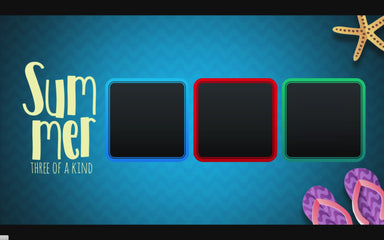
Do you need a quick game for the summer to give out a prize? Maybe you need something to act as a tie breaker for a another game. Or do you want a simple, no-setup game for your ministry? Summer Three of a Kind is just that! Just hit the spacebar and three random summer-themed items will appear in the boxes. If a student gets three of a kind (hence the name), they win a prize!
Save Liquid error (snippets/product-badge line 32): Computation results in '-Infinity'%
You can play a lot of different games with Suits. At its very base, Suits is simply a game board that displays a bunch of boxes with different card suits. You can control how many boxes are on the screen, flip them, shuffle them, and even force them to be the suit that you want. So, give every student a playing card as they walk through the door. Then, use Suits to randomly pick a set of 8 suits. The first group of students who can form that set with their cards wins! That's just one of many games that you can play with Suits!
Save Liquid error (snippets/product-badge line 32): Computation results in '-Infinity'%
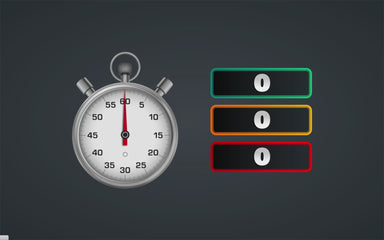
Stopwatch is... a stopwatch (hence the name). It works exactly how you'd expect it to work! You can start/stop the time and save that time in up to three slots. This is perfect for relay-type competitions (or pretty much anything that would benefit a stopwatch timer). This is a great tool for your next game!
Save Liquid error (snippets/product-badge line 32): Computation results in '-Infinity'%
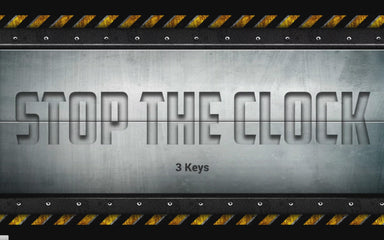
"Stop the Clock” has students trying to figure out how to stop the clock (hence the name). STC can be used in an escape room, during scavenger hunts, or on stage during your large group time. This STC is called, "Three Key" and requires students to find and plug three USB thumb drives into a USB hub to... Stop the Clock!
Save Liquid error (snippets/product-badge line 32): Computation results in '-Infinity'%
Stop It! is a fantastic, no setup youth group game that challenges students to hit a button and stop a clock as close as they can to a given number without going over. Whoever gets closest within 1/100th of a second is the winner! This is the kind of game that has everyone going nuts when the clock stops on the winning number. Tons of fun, easy to explain, and not setup required. Just stop it!
Save Liquid error (snippets/product-badge line 32): Computation results in '-Infinity'%
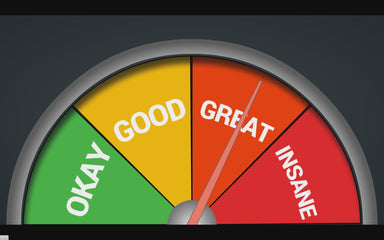
The Stage Gauge is a great tool that makes your games way more fun! Imagine scoring a dance-off contest with a giant applause meter on the screen! Or create a head-to-head-to-head-to-head contest between freshmen, sophomores, juniors, and seniors. Then use the Stage Gauge to show the winner! The possibilities are endless. You can set the color, size, and text of each section. To move the needle, simply hover your mouse over a colored rectangle in your dashboard. It's that easy! Check out the video below for a walk-through!
Save Liquid error (snippets/product-badge line 32): Computation results in '-Infinity'%
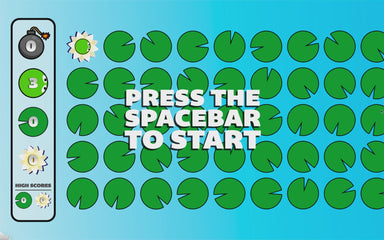
What happens when you mix frogger and minesweeper? You get some splodin frogs! Splodin Frogs is a youth group game that challenges your students to work together to get a frog through a pond scattered with bombs! The indicator on the left tells you how many lily pads have bombs underneath them, but it doesn’t tell you which ones they are. If you land on a bomb, your frog “splodes” and you’re sent back to the beginning.
Save Liquid error (snippets/product-badge line 32): Computation results in '-Infinity'%
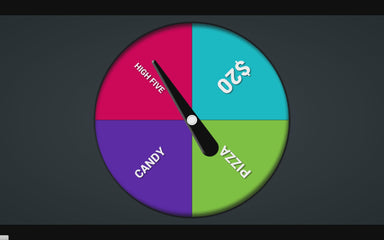
Spinner is a fantastic tool that can be used for a bunch of different games. We'll give you some ideas, but you can really do whatever you want with this one. The app is simple: Just pick the number of players and the screen with be filled with a group of boxes. A little white dot shifts around while it counts down. Watch the walk-through video below to get an idea of what you can do with this one.
A Yearlong Curriculum and Discipleship Strategy
Only $599 Retail Value: $1,732 Bi-vocational pricing available.
Transform your ministry today.
Learn moreOnly $599 Retail Value: $1,732 Bi-vocational pricing available.
Shipping Details
Most orders $99 or more receive FREE Shipping!
Why Most? Some of our shipments are just too heavy or ship from Mars (not really). If you have a $99+ order in your cart and don't see a free shipping option, this is why.
FREE SHIPPING DETAILS
Questions about this promotion, or just need general shipping help? Use our Live Chat feature on our website, or email us: customercare@ym360.com. Either way, you're going to get world-class customer care.